
AI Interior Design for Kids Rooms: Safe, Playful Spaces That Grow With Your Child
Designing a child’s bedroom means juggling safety, storage, changing tastes, and a real budget — all at once. AI interior design lets you upload a photo of your kid’s room and get age-appropriate, safe, and playful design options in about 30 seconds. The direct answer: yes, AI can pick styles, plan storage and zones, flag safety issues, and build a shopping list tailored to your child’s age — though, as the U.S. Consumer Product Safety Commission notes, no rendered image replaces checking the actual hardware in the room yourself.

This guide covers how AI designs a kids room, how to make it safe and age-appropriate, which styles and tools work best, and where a parent still needs to stay in charge.
Can AI Design a Kids Room? How It Works
A kids room designer works the same way as any other AI interior design tool, but the output is tuned for a much narrower set of needs — an adult’s living room can tolerate a sharp coffee-table edge; a toddler’s room can’t.
From a photo to a full design in seconds
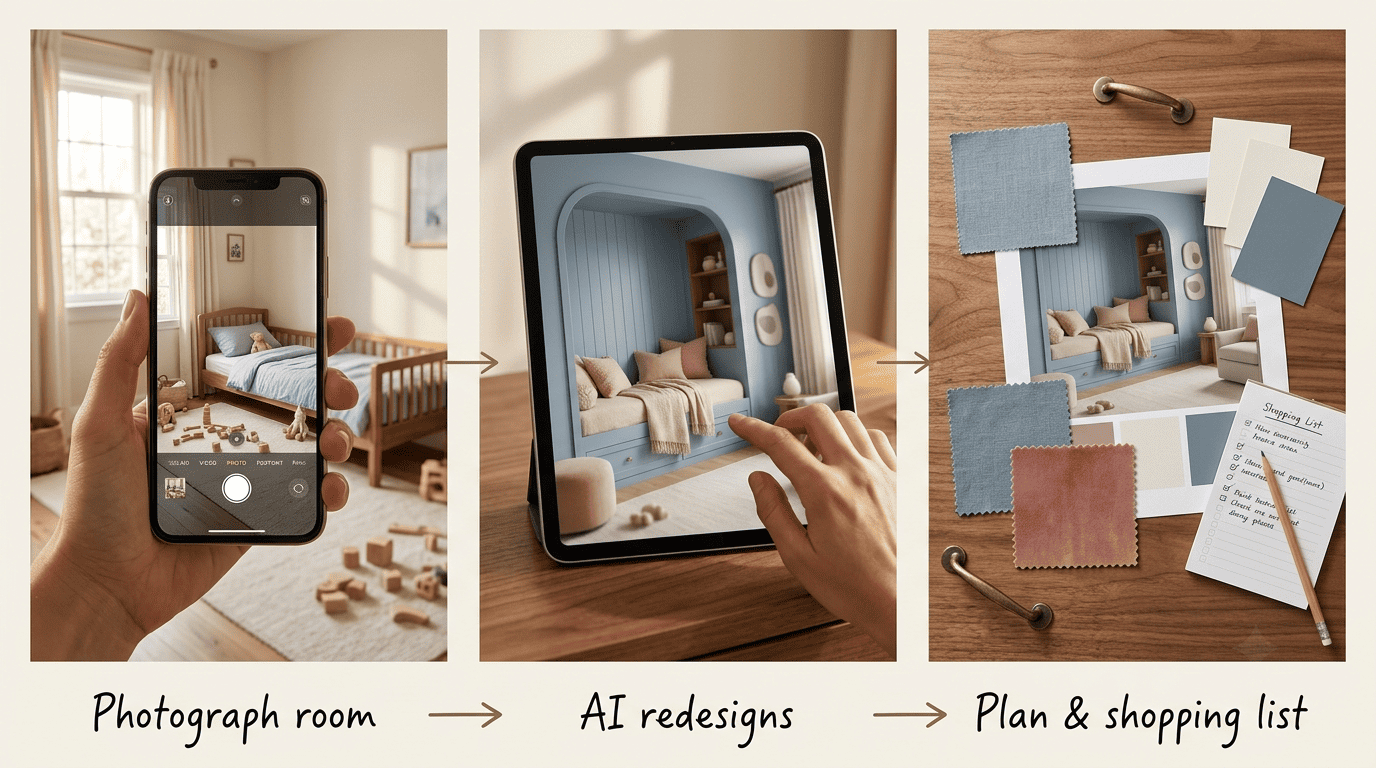
Upload a photo of the room, choose a style and your child’s age, and the AI interior designer returns a photorealistic redesign — often in about 30 seconds — plus a mood board, furniture placement, and a shopping list. You iterate from there, swapping items or changing the theme until the room feels right, without moving a single box in real life first.
What AI actually produces
Beyond a pretty render, kid-focused tools typically hand back a bundle rather than a single image:
- A photorealistic redesign of the actual room
- A mood board with the palette and materials
- A furniture and product shopping list with links
- Storage suggestions sized to the room
- Play, sleep, and study zoning laid over the floor plan
That combination — a visual plus a plan — is what separates AI room design from a simple mood board you’d pin to Pinterest.
Age-Appropriate Design: Rooms That Grow With Your Child
A kids room has a shorter shelf life than any other room in the house, since the person using it keeps changing size, interests, and needs every couple of years.
The five age stages
A nursery (0–2), toddler (2–5), early-elementary (5–8), tween (9–12), and teen (13–18) each need different layouts, safety measures, and storage heights. AI kids room design tools ask for the child’s age and adjust the layout accordingly, and a well-planned design is meant to last roughly 5–8 years before it needs a real refresh.
| Age stage | Typical priority | Design focus |
|---|---|---|
| Nursery (0–2) | Sleep safety, soothing colors | Crib placement, soft lighting, minimal clutter |
| Toddler (2–5) | Mobility, exploration | Low shelving, anchored furniture, play zone |
| Early-elementary (5–8) | Independence, imagination | Themed decor, homework nook, labeled storage |
| Tween (9–12) | Personal expression | Study zone, display space, bolder colors |
| Teen (13–18) | Privacy, function | Desk setup, seating, storage for gear |
Grow-with-child furniture
Convertible cribs, extendable beds, and adjustable-height desks let the room evolve without a full re-do, and AI kids room design can prioritize these pieces in its suggestions so the family isn’t re-buying a bed frame every three years.
Safety First: Childproofing With AI
Style is the easy part of an AI kids room designer; safety is the part a parent has to take seriously, because a beautiful render can still describe a dangerous room.
Furniture tip-overs and bed-related injuries send a large number of young children to the emergency room every year, so childproofing is never optional. The U.S. Consumer Product Safety Commission runs an Anchor It! public safety campaign specifically because unsecured dressers, bookcases, and TVs are a leading cause of injury and death for children under six, and AI room planners can flag these hazards and suggest safer layouts before a single piece of furniture is purchased.
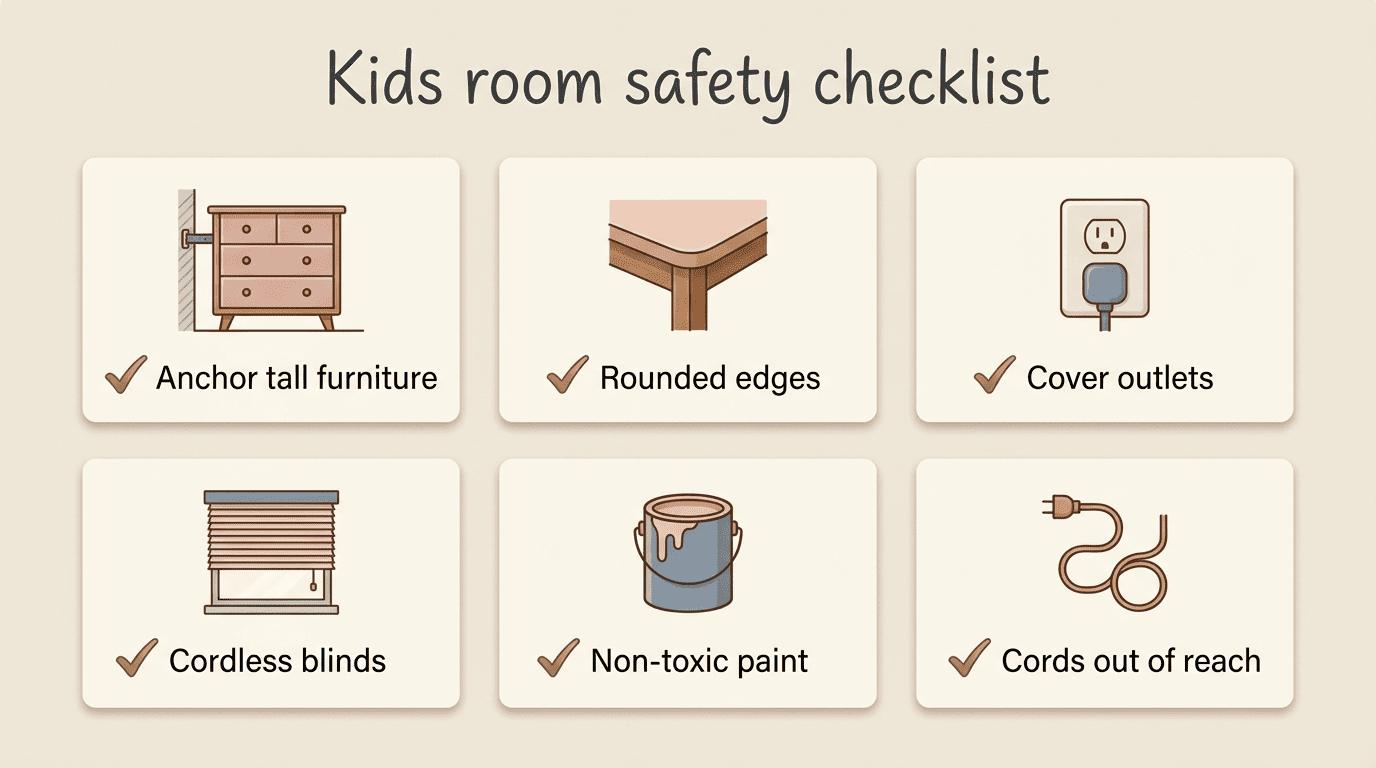
The AI childproofing checklist
- Anchor tall furniture — dressers, bookcases, and wardrobes — to the wall with anti-tip hardware
- Choose rounded edges over sharp corners on tables, desks, and shelving
- Cover every accessible outlet
- Use cordless or cord-managed blinds instead of long pull cords
- Pick non-toxic, low-VOC paints and finishes for walls and furniture
- Keep cords, cables, and small parts out of reach of cribs and beds
- Re-check every anchor point and outlet cover after moving furniture around
An AI kids room design can build every one of these items into a layout suggestion, but only a parent walking the actual room can confirm the anchor screws are in a wall stud and not just drywall. The American Academy of Pediatrics’ HealthyChildren.org nursery safety checklist is worth reading alongside any AI-generated plan, not instead of it.
Styles and Themes Kids Actually Love
Once the safety basics are settled, style is where a kids room gets its personality — and children’s taste in a room tends to be far bolder than an adult’s.
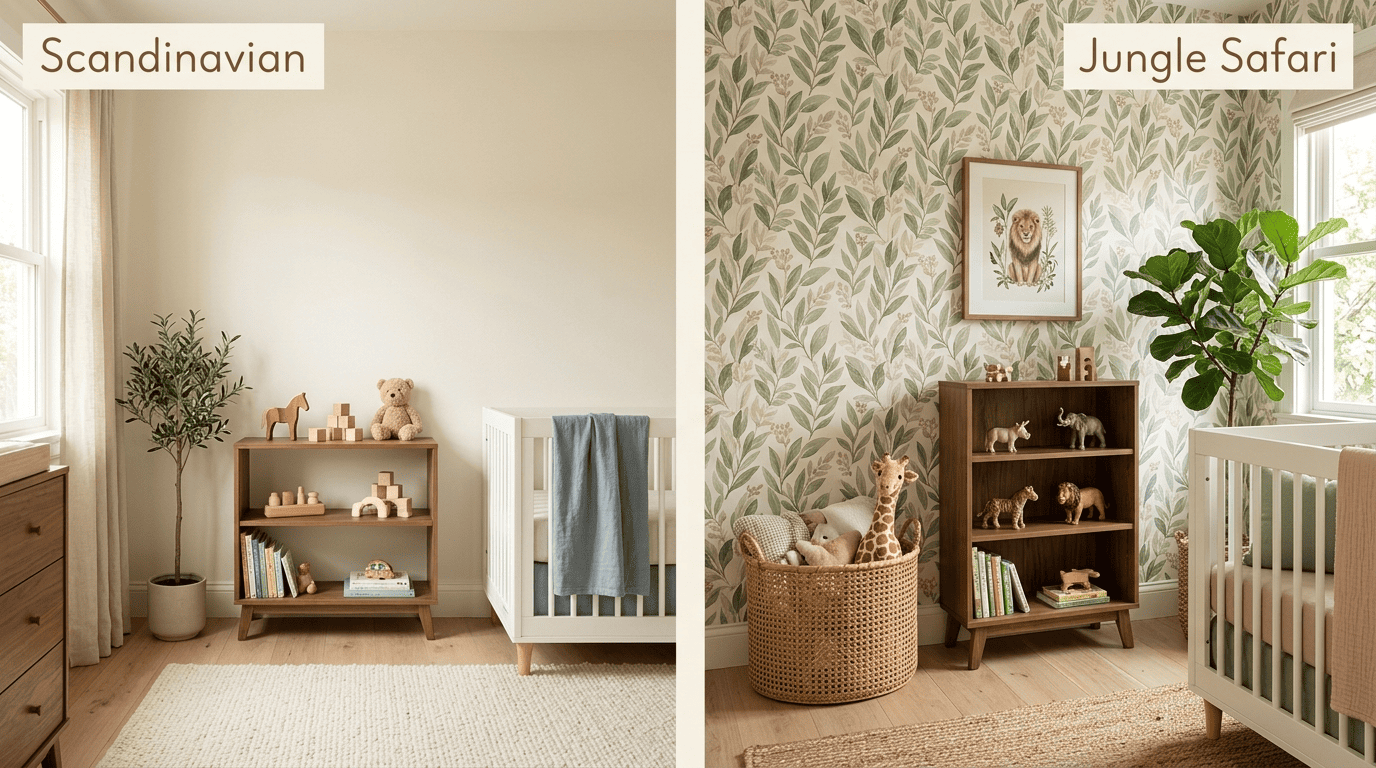
AI tools cover a wide spread of directions, and most let you preview several before picking one:
- Calm, minimal — Scandinavian, Japandi
- Playful themes — Jungle Safari, Space, Fairytale
- Low-access, child-led — Montessori-style layouts
- Everyday character — Boho, Maximalist, Cyberpunk
You pick a direction, and the AI room designer renders variations of your actual room in seconds rather than asking you to imagine it from a swatch board.
Color choice does real work in a child’s room, beyond simple decoration. According to the Wikipedia entry on color psychology, color can influence mood and perceived energy, which is why calming blues and greens are frequently recommended for sleep areas, while warmer, more energizing tones suit active play zones, and neutrals tend to age well as a child’s taste changes. AI palettes let you test these combinations against the real room on screen before committing to paint or bedding.
Storage and Zoning for Small Kids Rooms
Most kids rooms are smaller than an adult bedroom but have to do more jobs — sleeping, playing, and studying all in the same square footage — which makes zoning a bigger deal here than almost anywhere else in the house.
Smart storage kids can actually use
Low open shelving, labeled bins, under-bed and trundle storage, wall-mounted units, and storage ottomans keep clutter down and put things within a child’s own reach, rather than requiring an adult to fetch every toy. AI kids room design plans these into the layout automatically once it knows the room’s dimensions and the child’s age.
Zoning one room into sleep, play, and study
AI carves a single bedroom into clear sleep, play, and study zones using rugs, shelving, and furniture placement, which is especially valuable in a small room where the same four walls have to feel like three different spaces depending on the hour.
Best Free and Paid AI Tools (and What They Cost to Furnish)
Free tools are a reasonable starting point for testing ideas before spending anything on furniture.
Several browser-based tools generate kids-room concepts for free, some with no sign-up required, and add mood boards and shopping lists on top of the render — useful for comparing two or three directions before committing to one. Assistants such as Google’s Gemini can also help brainstorm a theme, generate a shopping checklist, or summarize safety guidance once you already have a photo and a plan; see Google’s Gemini Apps help center for what the assistant can and can’t do with images.
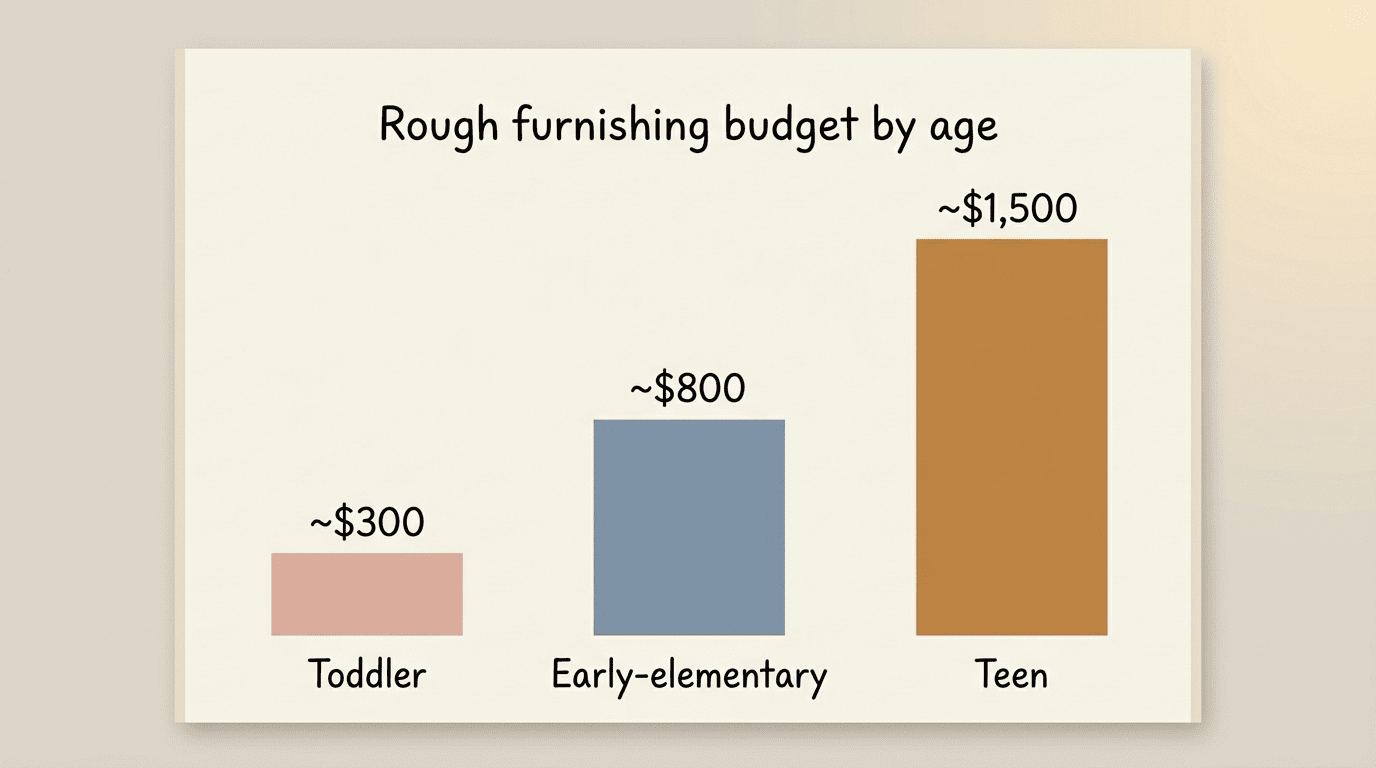
As a rough furnishing guide, budget-minded parents commonly aim for figures in this range, using the AI shopping list to stay under the target rather than discovering the total at checkout:
| Room type | Rough furnishing budget | Typical spend on |
|---|---|---|
| Toddler refresh | ~$300 | Bedding, storage bins, wall decor |
| Early-elementary room | ~$800 | Bed, desk, shelving, paint |
| Full teen-room redo | ~$1,500 | Bed frame, desk setup, seating, storage |
These are starting points, not fixed prices — actual cost swings widely with region, whether furniture is new or secondhand, and how much of the existing room is reused.
Where AI Stops and Parents Take Over
An AI render is a starting point, not a finished job, and the gap between the two matters more in a child’s room than almost anywhere else in the house.
Concept, not a safety certificate
AI renders are inspiration and planning tools, not a guarantee of safety or a construction drawing. Always verify anchors, materials, certifications, and real dimensions yourself before ordering anything for a child’s room.
The best way to protect your children from falling furniture is to secure your furniture to the wall with anti-tip devices, such as furniture and TV anchors.
U.S. Consumer Product Safety Commission
That single line from the agency that tracks these injuries is a useful gut-check on any AI-generated kids room plan: treat the render as the idea, and treat the wall anchor, the paint can’s VOC label, and the crib’s certification sticker as the parts you check yourself, in person, before a child ever sleeps in the room.