
AI Interior Design for Bedrooms: Turn One Photo Into a Calmer, Restful Room
The bedroom is the one room you want to feel calm the moment you walk in, and it’s the hardest one to reimagine without emptying it out first. AI interior design lets you upload a single photo of your bedroom, pick a style, and get a photorealistic version of the same room made over for rest in seconds. A restful bedroom isn’t just a look — the Sleep Foundation notes that a clean, well-optimized sleep environment with the right light and temperature genuinely supports better sleep, which is exactly what these tools are built to preview before you touch a single piece of furniture.
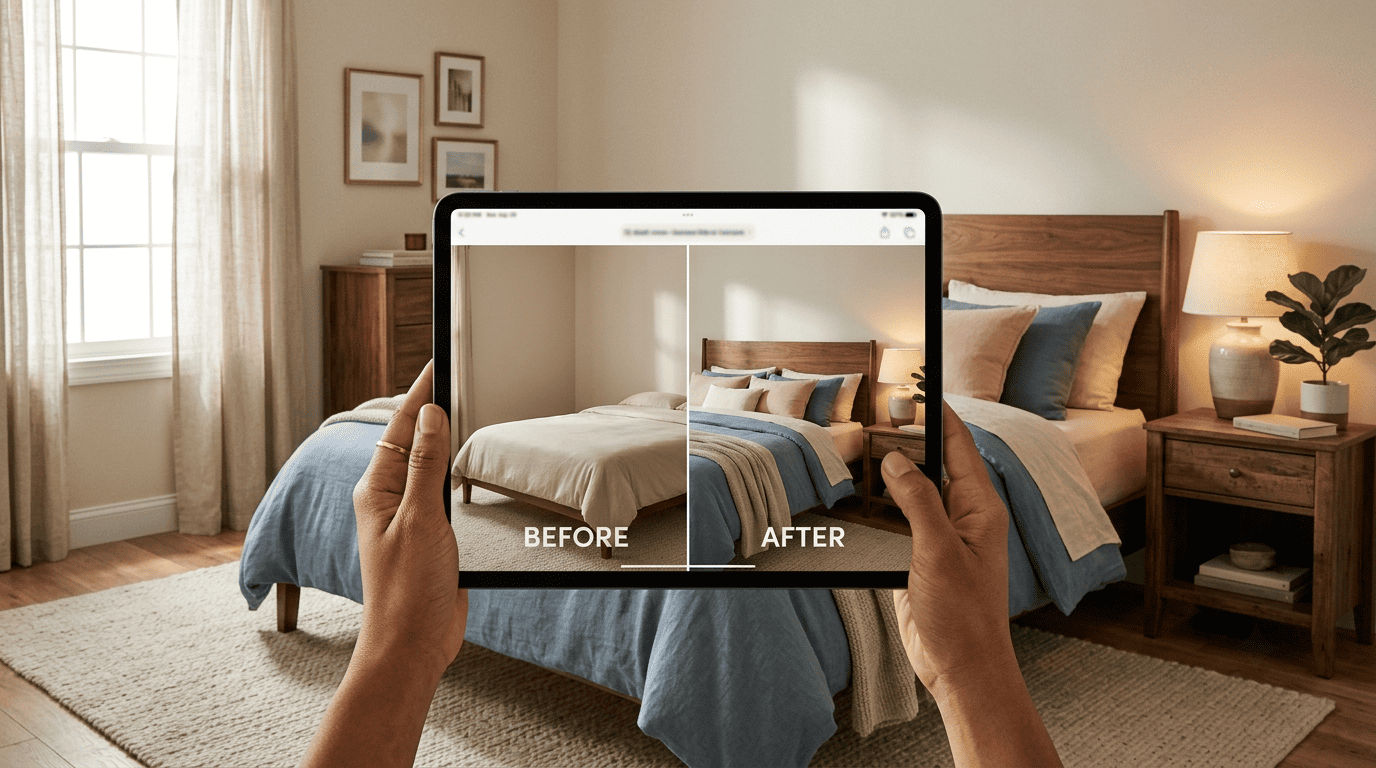
The direct answer to whether this works: yes. Tools built on this model report serving millions of people — RoomGPT alone has been used by more than 4 million people, and ReimagineHome claims over 30 million generated designs. Below is how the process works, which calm styles and layouts you can generate, the best free tools available, and how to get a result that looks like an actual bedroom you’d sleep in rather than a generated image.
How AI Redesigns Your Bedroom
AI bedroom design isn’t a blank-canvas generator — it works from a photo of your actual room and reimagines what’s already there, which is what makes redesigning your room with AI feel personal rather than generic.
What «AI interior design» means for a bedroom
In practice, the process starts with a photo of your real bedroom. The AI reads the geometry of the space — the bed, windows, walls, and flooring — and then generates a redesigned version of that same room in the style you pick. It isn’t drawing a new bedroom from scratch; it’s reimagining your existing one while keeping its structure recognizable. Dehome, one of the platforms in this space, claims its workflow cuts early-stage visualization costs by roughly 80% and delivers results about 10 times faster than a traditional design process. AI Room Planner illustrates the idea with a simple before-and-after: an ordinary bedroom photo goes in, and a fully styled Zen bedroom comes out on the other side.
The technology under the hood
Under the hood, these tools run on diffusion and other generative AI models — the same broad family of technology behind AI image generation more generally. Interior AI, for example, uses a proprietary model it calls ArchDiffusion v4.2, while ArchiVinci offers general-purpose image engines like Nano Banana and GPT Image as alternatives alongside its own rendering engine. A Wikipedia explainer on diffusion models describes the underlying approach: the model is trained on large sets of images and learns to reconstruct photorealistic detail from a noisy or partial input — in a bedroom render, that means believable wood grain, linen texture, and wool bedding, plus soft, layered light rather than a flat wash. Output resolution varies by platform; Interior AI advertises renders up to 8K.
Step by Step: From Bedroom Photo to Finished Render
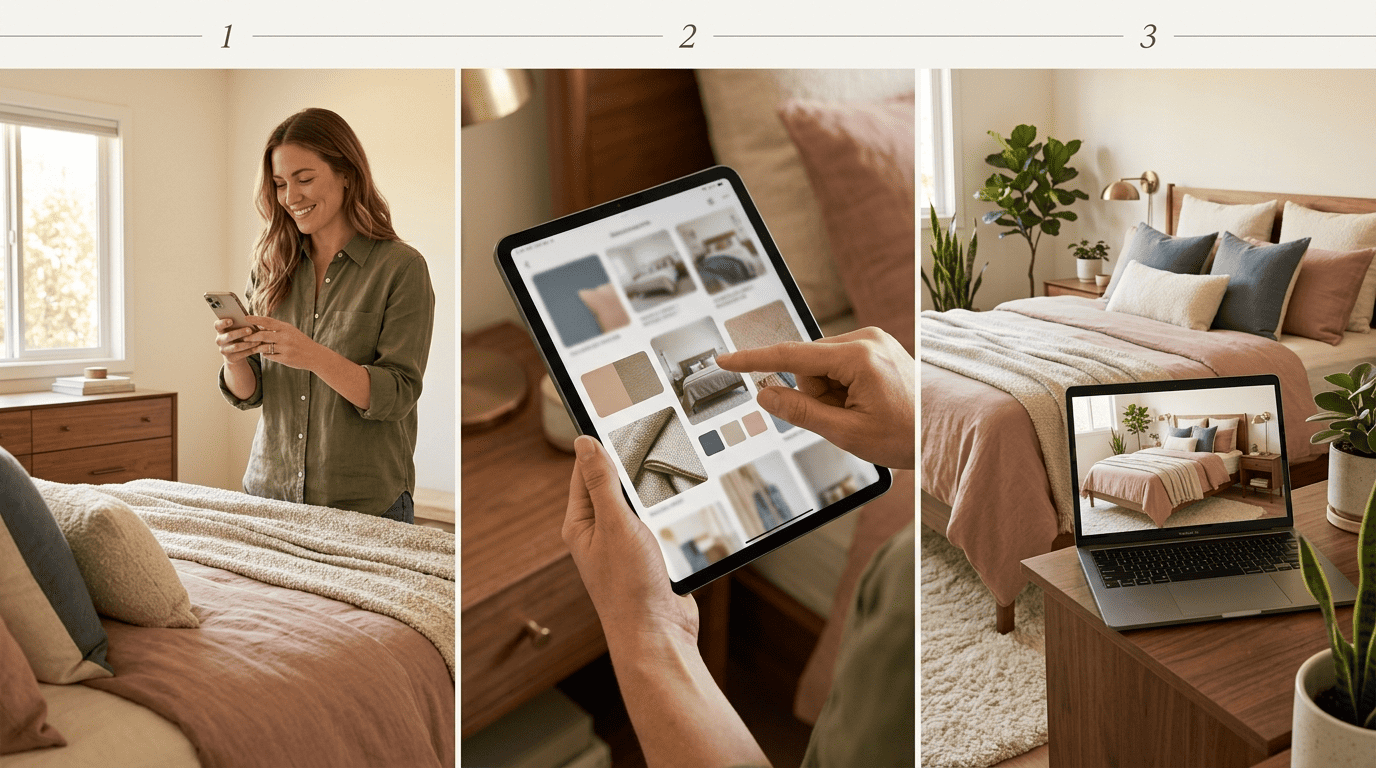
The workflow is close to identical across most AI interior design tools, and for a bedroom it breaks down into three steps.
- Upload a clear photo of your bedroom. Shoot in daylight, capture the whole room in one frame, and avoid blur or extreme angles — Dehome, for instance, caps uploads around 50 MB. The sharper the photo, the more accurately the AI recognizes your bed and the room’s actual layout.
- Pick a bedroom style, and optionally lock the layout. You choose a design style from a preset list, and on some platforms you can lock the room’s structure — ReimagineHome calls this «Structural Lock,» which keeps the walls and windows fixed while everything else changes. Most tools also accept a text prompt for finer control over bed type, color palette, or lighting.
- Generate and iterate. Renders typically arrive in 25-30 seconds on Interior AI and 5-30 seconds on Dehome. Iterations are effectively unlimited, so you can keep generating variations until the room feels like yours — RoomGPT, which works from a single photo, has processed redesigns for more than 4 million users on that same basic loop.
Room photo upload, style selection, and photorealistic render are the three core mechanics every one of these platforms is built around, even when the branding and interface differ.
Calm Bedroom Styles You Can Generate
Because a bedroom’s job is rest rather than entertaining, the style choice matters more here than in almost any other room, and the model libraries reflect that.
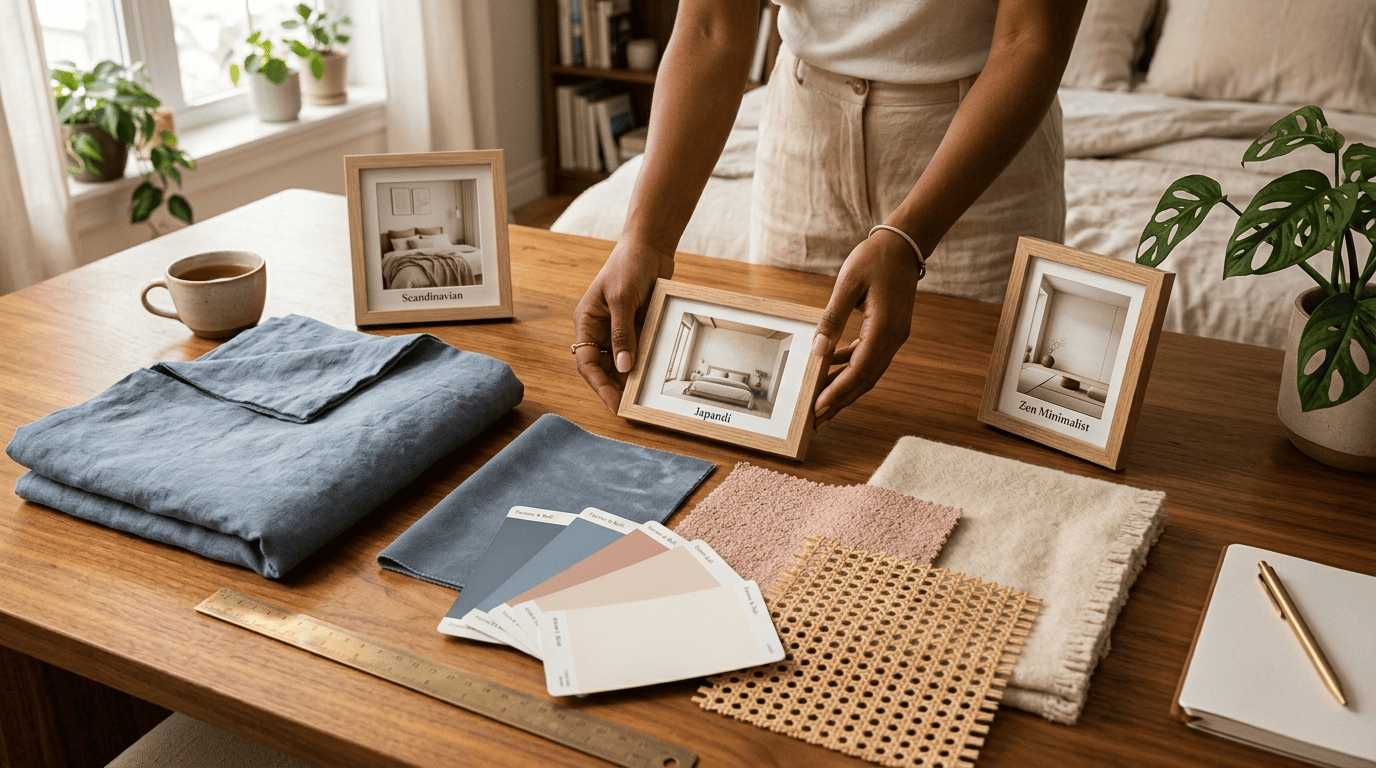
A handful of styles come up again and again in bedroom-specific recommendations, since a bedroom’s job is rest rather than entertaining:
- Scandinavian — light wood, soft neutrals, reads well even in bedrooms with limited natural light
- Japandi — a Japanese-Scandinavian hybrid built specifically around low clutter and calm proportions
- Zen / minimalist — pared-down furniture, negative space treated as a deliberate design element
- Warm boho, modern coastal, mid-century, farmhouse — best when a bedroom already has strong architectural character the AI can lean into rather than smooth over
Style counts vary by platform: RoomsGPT lists more than 60 presets, ArchiVinci offers dozens, Interior AI lists more than 20, and Home Design AI offers 12-plus. Across all of them, the presets pitched specifically as «calming» or «restful» are almost always some variation on Japandi, Zen, or Scandinavian minimalism.
| Style | Best bedroom fit | Style count claimed |
|---|---|---|
| Japandi, Zen/minimalist, Scandinavian | Small or light-limited bedrooms, restful priority | Home Design AI: 12+ total presets |
| Modern coastal, mid-century | Mid-size bedrooms, everyday use | Interior AI: 20+ presets |
| Warm boho, farmhouse | Bedrooms with strong existing character | ArchiVinci: dozens of presets |
Building a moodboard before you commit
Before committing to a full redesign, several tools let you build a moodboard — a coordinated preview of palette, materials like linen, wood, and wool, and furniture samples in one style. Seeing that combination laid out together, rather than jumping straight to a full render, makes it easier to catch a style mismatch before you’ve generated a dozen bedroom variations you don’t actually like, and before you’ve spent money on bedding or paint that doesn’t match.
Bedroom Furniture Layout and Space Planning
Arranging the bed, nightstands and storage
In a bedroom, the bed is the fixed focal point everything else arranges around. AI layout tools typically suggest a symmetrical pair of nightstands, a dresser or wardrobe placed to keep sightlines open, and clear walking paths on both sides of the bed rather than furniture crowding one side. Planner 5D is a notable example on the planning side of this category: its Floor Plan Recognition and Smart Wizard features read an uploaded layout and generate a 3D or VR walkthrough of the proposed arrangement, which goes a step further than a flat, single-angle render.
Designing a small bedroom with AI
For a small bedroom, the layout suggestions shift toward space-saving choices: a bed frame with built-in drawers instead of a separate dresser, narrow nightstands instead of full-size ones, and vertical storage that uses wall height instead of floor space. Lighter tones are generally recommended for the same reason paint stores push them for small rooms — they make a cramped bedroom read as more open. Across all of this, keeping the paths beside and at the foot of the bed clear stays the priority, since a beautifully styled bedroom that’s hard to walk through at night isn’t actually usable.

Choosing a Calming Color Palette and Lighting
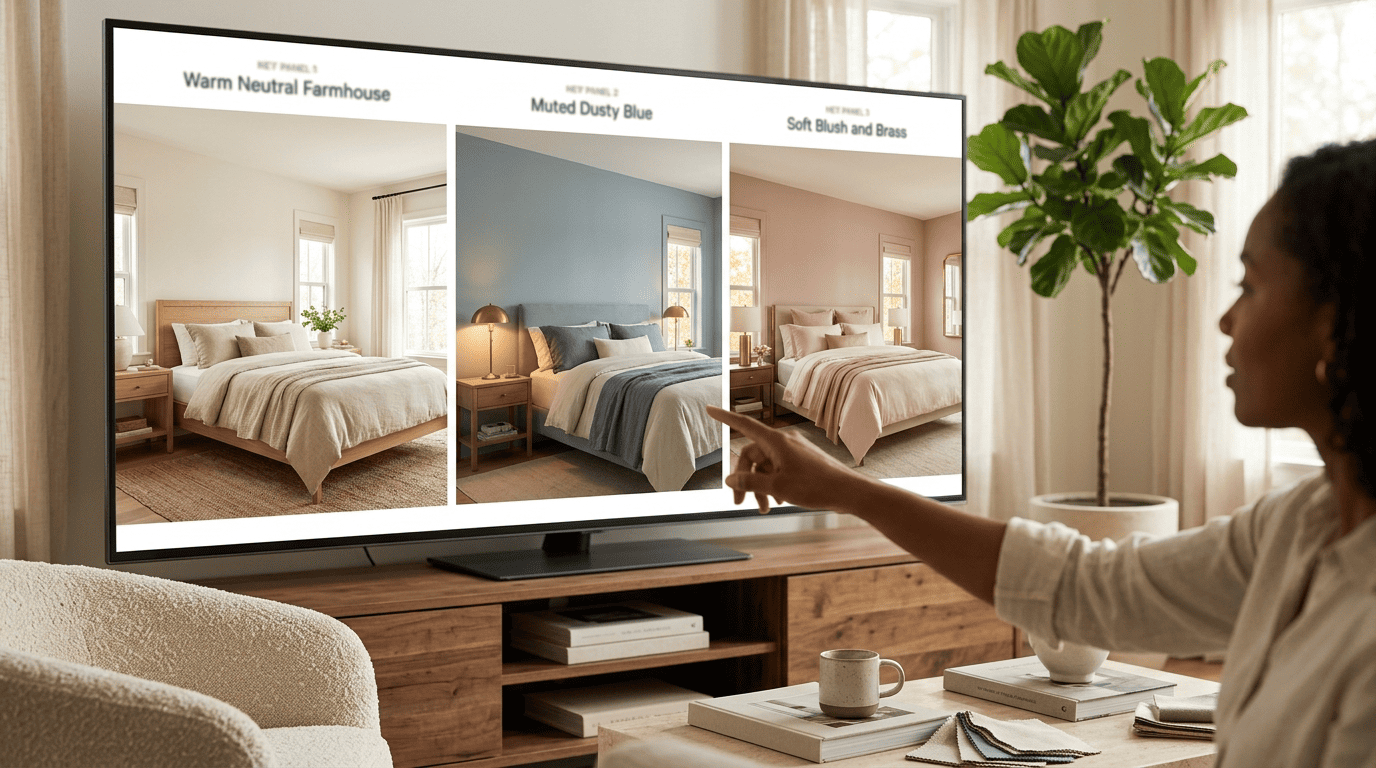
AI color suggestions work off the style you’ve already picked, then propose a coordinated bedroom palette rather than leaving you to guess what goes together — muted blues, warm neutrals, or a soft blush, generally paired with natural materials like wood and linen. Lighting recommendations tend to favor layered, warm sources — a bedside lamp or sconce instead of a single cold overhead light — because that combination reads as restful rather than clinical in the finished render. Because generating a variant takes seconds rather than a full remodel, you can test two or three palettes against the same bedroom photo before deciding, which is a meaningfully faster way to compare options than paint swatches taped to a wall.
Best Free AI Tools for Bedroom Design
Several tools let you try a photo-to-render workflow without paying anything upfront:
- RoomsGPT and RoomGPT — free tier, no registration required, from a single photo
- Home Design AI — free, no account needed
- ReimagineHome — 5 free designs, no credit card required
- ArchiVinci — 3 free credits, positioned more as a trial than an ongoing free tier
- AI Room Planner — currently free while it’s in beta
Interior designers make indoor spaces functional, safe, and beautiful by determining space requirements and selecting essential and decorative items, such as colors, lighting, and materials.
U.S. Bureau of Labor Statistics
That distinction — a human designer working through decisions with a client versus an AI generating a visual concept — is worth keeping in mind when you’re deciding which tool fits your project. Apartment Therapy tested 13 free AI interior design tools and named the free version of RoomsGPT one of its top three picks.
When paid or a human designer is worth it
Paid tiers start around $19.99 a month for entry-level plans like DecorMatters and climb to $39-159 a month for higher-end platforms such as Foyr Neo, which typically buy more generation credits and higher resolution. None of that replaces an actual measurement of your bedroom, though — a service like Decorilla, which charges $119-plus per hour for a live designer, is what you need once you’re past inspiration and into ordering a real bed frame or planning a renovation with exact dimensions.
| Tool | Free tier | Notes |
|---|---|---|
| RoomsGPT | Free, no account required | 60+ styles claimed; top 3 in Apartment Therapy’s 13-tool test |
| RoomGPT | Free, no account required | 4M+ users |
| Home Design AI | Free, no account required | 12+ style presets |
| ReimagineHome | 5 free designs, no card | 30M+ designs generated |
| ArchiVinci | 3 free credits | Dozens of style presets |
| DecorMatters | Paid from ~$19.99/month | Entry-level paid tier |
| Foyr Neo | Paid, $39-159/month | Higher-end, more credits/resolution |
| Decorilla (human designer) | $119+/hour | For measurements, sourcing, real renovation |
Tips for Realistic, Restful Results
The gap between a striking AI render and a genuinely restful bedroom usually comes down to a handful of habits during upload and generation.
- Shoot in daylight — even, natural light gives the model the clearest read on your room’s actual colors and materials
- Keep the camera level and capture the whole bedroom in one frame, rather than a tight angle that crops out the bed or windows
- Lock the room’s structure if you only want the decor and palette to change, not the walls or window placement
- Ask for a calm palette and warm, layered light directly in the prompt if the default result feels too bright or clinical
- Generate 3-5 variants before picking one, and check the scale of the bed and nightstands against your room’s real proportions
Limitations to keep in mind
The AI can hallucinate furniture that doesn’t exist or distort proportions, especially in a cluttered or oddly shaped bedroom. It doesn’t know your room’s exact measurements — a bed frame that looks right in the render might not fit against your actual wall. And it won’t order or physically place real furniture; the output is a concept image, not a purchase list or an installation plan. Treat the render as inspiration and a way to show a contractor or salesperson the direction you want, not as an engineering plan you can build from directly.