
AI Interior Design Virtual Staging: How It Works, Costs & Rules
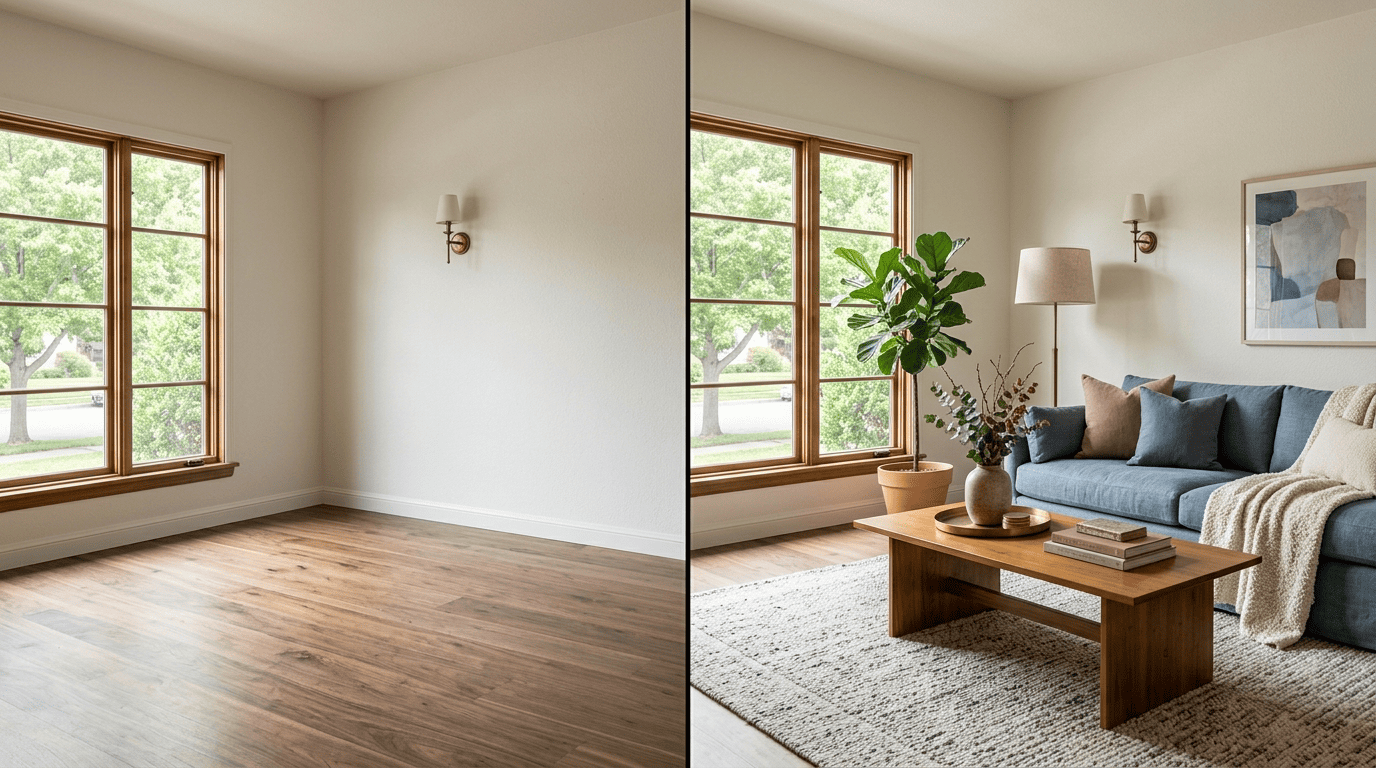
Empty rooms photograph poorly, and that’s exactly the gap AI interior design closes through virtual staging: it digitally furnishes a photo of a bare room in seconds, letting buyers see a lived-in space without a single piece of real furniture ever entering the house. The same technology turns flat, forgettable empty-room photos into images that actually sell a listing.
This guide covers how AI virtual staging works step by step, how its cost compares to traditional physical staging, whether it actually helps homes sell, and the MLS disclosure rules sellers and agents need to follow.

What Is AI Virtual Staging?
Virtual staging uses AI to digitally furnish a photo of an empty or outdated room. The software analyzes the existing image, then adds furniture, decor, and lighting effects on top of it — nothing about the room’s real architecture changes in the process. According to Wikipedia’s overview of home staging, the practice originated as a way to prepare a property for sale by making it visually appealing to the widest range of buyers; AI staging is simply the digital-only branch of that same idea.
Digital Furniture, Real Room
AI staging tools add furniture, decor, and light to a photo of a genuinely empty room while leaving the architecture — walls, windows, doors, built-ins — untouched. That distinction matters: a virtual redesign changes the look of a room that’s already furnished, while virtual staging fills a room that has nothing in it. The photo underneath stays real; only the furnishings layered on top are synthetic.
Staging vs. Redesign vs. Decluttering
AI room-imaging tools generally offer three related but distinct modes, and mixing them up is a common mistake when ordering listing photos.
| Mode | Starting Point | What It Changes |
|---|---|---|
| Virtual staging | Empty room | Adds furniture and decor |
| Virtual redesign | Furnished room | Swaps the existing style for a new one |
| Virtual decluttering | Furnished, cluttered room | Removes clutter and personal items |
All three rely on the same underlying AI room analysis, just applied to different starting points.
How AI Virtual Staging Works, Step by Step
Most AI virtual staging tools follow a similar workflow, and the fastest ones return a finished image in well under a minute.
- Upload a clear photo of the empty room. Good lighting and a straight-on angle produce the cleanest results.
- The AI analyzes the room’s geometry. It reads dimensions, flooring, wall placement, and existing light sources.
- It selects a furniture style. Either the one you chose or one it suggests based on the room type.
- It places furniture with correct perspective and scale. Sofas, beds, and tables are sized and angled to match the real room, not pasted in flat.
- You download the result. Some platforms add a watermark automatically; others leave that step to you.
The whole process typically finishes in under 30 seconds, though more complex rooms or higher-resolution exports can take a few minutes.

Furniture Styles & Room Types
AI interior design platforms typically offer around eight furniture styles:
- Modern
- Contemporary
- Scandinavian
- Traditional
- Farmhouse
- Industrial
- Hampton
- Prime
Those styles apply across 11 or more room types, most commonly:
- Living rooms
- Primary and secondary bedrooms
- Dining rooms
- Home offices
- Kitchens
- Bathrooms
- Kids’ rooms
- Patios and outdoor living spaces
For staging tighter or more specialized spaces, see AI interior design for kitchens, where cabinetry and counter layout make style choice more visible than in an open living room.
What AI Virtual Staging Costs vs. Physical Staging
The price gap between AI and physical staging is the single biggest reason virtual staging has become the default choice for empty listings.

The Price Gap
AI virtual staging generally starts around $0.24–$1 per photo on the cheapest tiers, with typical per-image pricing landing between $12 and $39, and a full listing running roughly $25–$75 total. Physical staging, by contrast, usually costs $2,500–$6,000 for a full stage (more for luxury homes) plus $500–$1,500 per month if the furniture stays in place beyond the initial period. That puts AI staging 95–99% cheaper than furnishing a home with real furniture. The National Association of Realtors tracks staging costs as part of its broader research on home-selling practices, and the physical-staging figures above sit within the ranges its member surveys typically report.
| Factor | Physical Staging | AI Virtual Staging |
|---|---|---|
| Setup cost | $2,500–$6,000 | $0 |
| Per-room cost | $500–$1,500/month | $12–$39/image |
| Full-listing cost | Varies by home size | $25–$75 |
| Turnaround | Days to weeks | Seconds to minutes |
| Style changes | Requires re-staging | Instant |
Speed and Flexibility
A physical stager needs to source furniture, schedule delivery, and physically arrange a room — a process that can take days or weeks before photos are even possible. AI staging turns the same empty room into a furnished one in minutes, and it can generate several different furniture styles from the exact same photo without moving a single item. That flexibility — trying a farmhouse look and a modern look on the same listing — simply isn’t available to physical staging without redoing the entire room.
Does Virtual Staging Actually Help Homes Sell?
Staged photos aren’t just decoration — they change what buyers respond to before they ever walk through the door.

What Buyers Respond To
According to National Association of Realtors research on buyer preferences, buyers place the highest importance on seeing a furnished living room (37%), primary bedroom (34%), and kitchen (23%). Since the large majority of buyers now begin their home search online, listing photos carry more weight than they did a decade ago. For tighter floor plans where empty rooms can look smaller than they are, AI home staging helps buyers picture how furniture would actually fit.
«The typical home seller resides in their home for 10 years before selling. During that time, homeowners might overlook certain aspects that could be less appealing to potential buyers. By staging a home, agents who are Realtors strategically highlight the best features, ensuring sellers receive the most-competitive offers.»Jessica Lautz, NAR Deputy Chief Economist
The Numbers Behind Faster Sales
In the NAR’s most recent Profile of Home Staging, 29% of agents reported that staging pushed offers 1–10% higher than comparable unstaged homes, and almost half (49%) of sellers’ agents observed that staging reduced the time a home spent on the market. The virtual staging market itself reflects that demand: industry estimates put it at around $1.33 billion in 2026, growing toward roughly $2.96 billion by 2032. Those numbers come with a caveat: how fast a home actually sells still depends heavily on price, location, and overall condition — staging improves presentation, not the underlying fundamentals of a listing.
MLS Rules & Disclosure: Staging Honestly
Using AI to furnish a listing photo is widely accepted, but only when it’s disclosed clearly.
Always Label It «Virtually Staged»
Most MLS systems permit virtual staging as long as every altered photo carries a clear «Virtually Staged» label, visible directly on the image. What isn’t allowed is using AI to hide a room’s real condition or to alter permanent elements — windows, flooring defects, structural features — in a way that misrepresents the property. Florida Realtors guidance on listing photos echoes this standard: staging is a presentation tool, not a way to conceal facts a buyer needs to make an informed decision.
A quick way to stay on the right side of MLS rules:
- Label every digitally staged photo «Virtually Staged,» directly on the image
- Never alter permanent features like windows, flooring, or structural defects
- Never use AI to hide damage, mold, or condition issues
- Confirm the exact wording and placement your local MLS board requires before a listing goes live
- Keep at least one unedited photo of the same room available if a buyer’s agent asks
Requirements can differ slightly between local boards, so it’s worth a quick check with yours before a staged listing goes live.